Smart but Simple: The ultimate user experience

Smart but Simple: The ultimate user experience.
During my time as an IT Assistant at Mind Body Clinic, I learned that the most effective technical solutions are often the simplest. The user experience of any digital platform has to be smart and intuitive, yet many platforms today sacrifice clarity for flashy features. This case study details how I applied a ‘smart and simple’ approach to a real-world challenge: improving a critical patient form to better serve both the clinic’s staff and its diverse community.
The Challenge:
The initial support request was about improving the efficiency of the clinic’s patient history form. Practitioners reported that the workflow was inefficient, and it soon became clear that the text-only format was a major accessibility barrier for patients who struggled with typing in English.
For many years, Mind Body Clinic London has served a diverse community, including many patients from Pakistan for whom English is not a first language. The clinic’s web form was text-only, which presented a significant barrier for anyone who struggled with typing detailed responses in English.
As a result, forms were often submitted incomplete, requiring clinic staff to spend valuable time and effort in manual follow-up processes. This not only created delays but also increased the risk of data entry errors during manual transcription.
The Process & Implementation:
I was tasked with resolving this technical and operational issue. My primary objective was to implement a robust and user-friendly solution within the clinic’s existing digital framework. In doing so the idea was to ensure that users could easily answer questions through audio recordings rather than typing out the answers.
My first step was to research off-the-shelf software plugins that could provide the needed functionality. However, after a technical evaluation, I found that most third-party options were either incompatible with our current systems, lacked necessary security protocols, or were too complex for our users. I concluded that leveraging our existing form and recoding it would be the most reliable and maintainable approach.
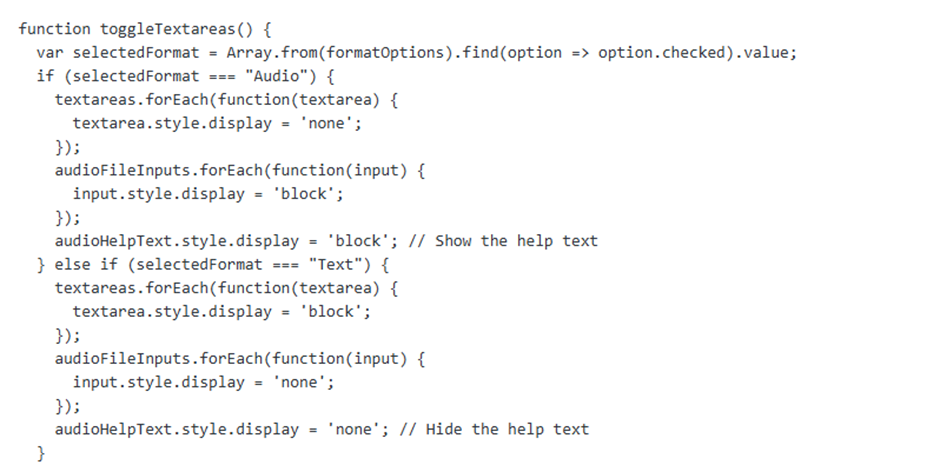
Using my skills in JavaScript, I developed and tested a new front-end interface for the form. The goal was to implement a simple choice that would direct users to the correct input method. Additionally, when selecting an audio format users would not see any text boxes, instead the attention would be focused to uploading specific audio files to each question. My approach was to ensure the solution was not only functional but also incredibly easy to navigate.
 Before
 After
After
To achieve this, I created clear documentation and a user-facing help page to support the new feature. This proactive step was designed to ensure a smooth rollout and minimize future support requests.

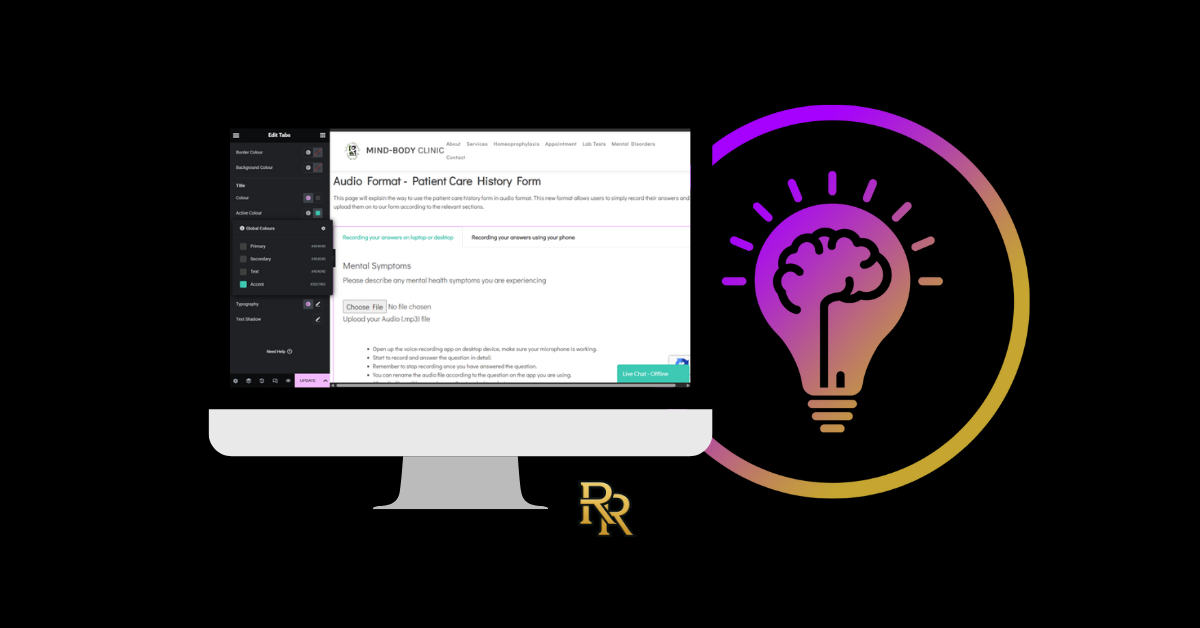
I utilised a tab division section to give users a clearer picture on how audio format for Patient care History form would work.

Users were given a different option between Desktop & Laptop or recording simply with their phones.
- Various screenshots were provided as visual aids
- Simple and easy broken down steps were provided
- Accepted file types were clearly stated
All of this was to ensure that the helpful and handy information was at disposal for any user wanting to use this format.
The Solution: An Upgraded System for Better Access
The implemented solution directly addresses the identified challenges with a few key technical features. The upgraded system now provides:
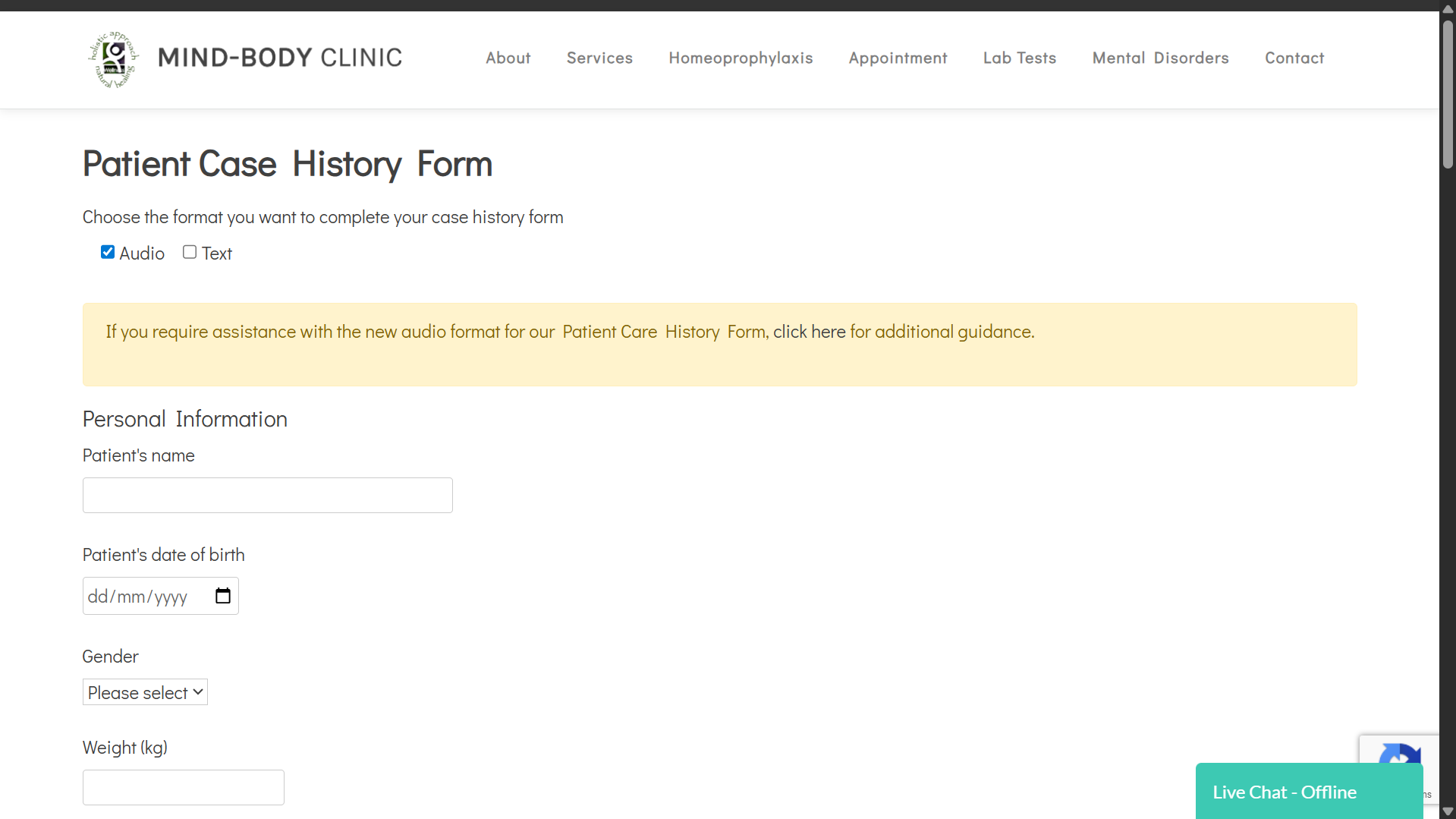
- A Dual-Input Form: The patient history form now presents users with two clear options: “Audio” or “Text” , text format. This immediately resolves the core accessibility issue.
- A Dynamic Interface: The script I wrote ensures that when a user selects an option, only the relevant form fields appear. This keeps the interface clean and prevents user error.
- Secure Audio Upload: An upload function was integrated into the existing form backend. The system is configured to accept common audio file types (like MP3 and M4A) and provides clear instructions to the user, ensuring compatibility.
- Embedded User Support: To assist users with the new functionality, an accordion-style help section with simple instructions is now built directly into the page.
Outcomes & Impact
Due to company policy and patient privacy, specific analytics for this feature cannot be shared publicly. However, the project’s success was measured by its direct impact on the operational challenges identified at the start.
The new dual-input form successfully removed the primary accessibility barrier for non-native English speakers, allowing them to provide detailed histories in the format most comfortable for them. Practitioner feedback indicated that the new system streamlined the intake process